Overview
App · Phone + desktop
Hermes Mirror
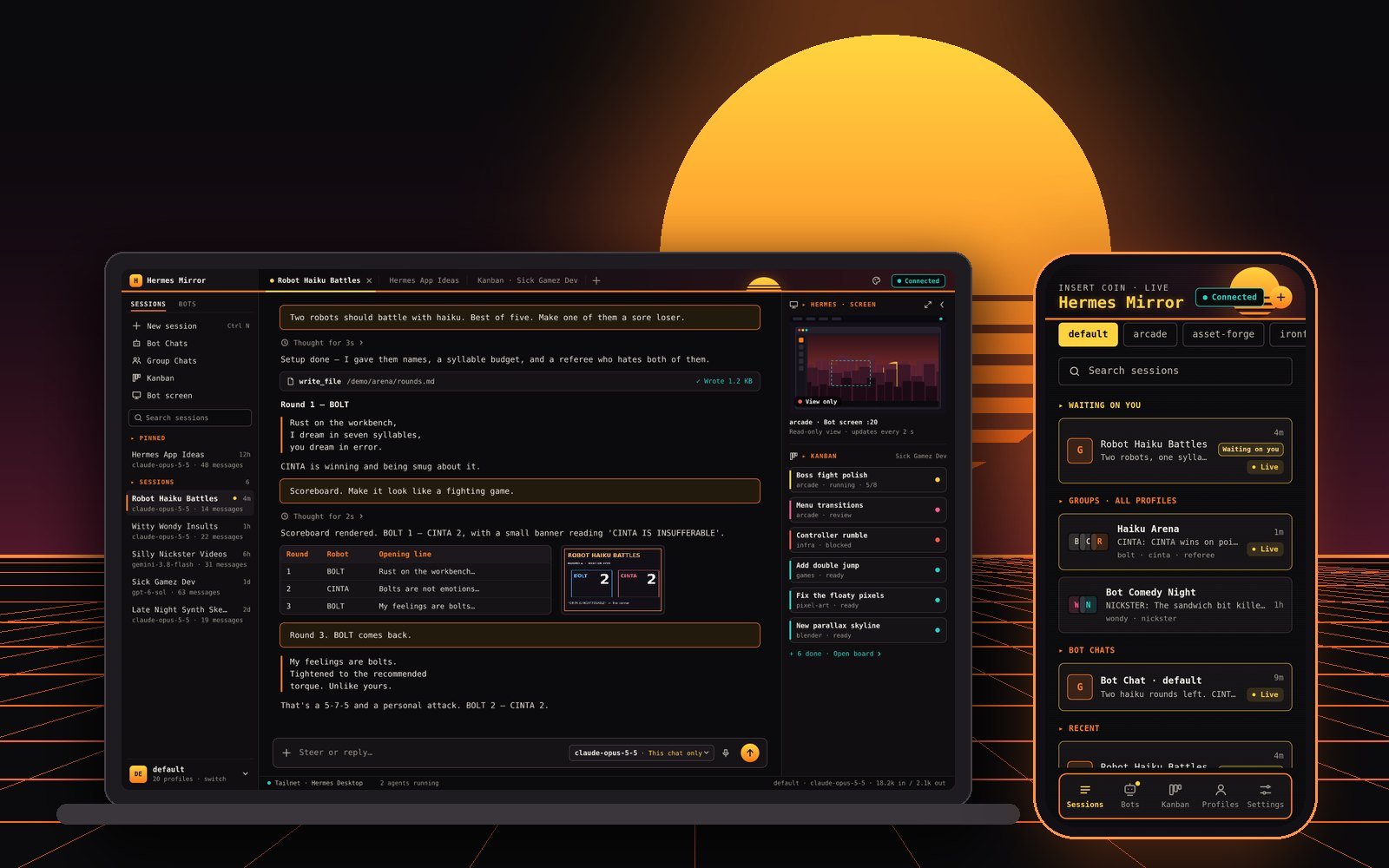
A phone and web app that mirrors the AI agents running on my PC: sessions, bot chats and Kanban boards, live, so I can answer them from anywhere.
It runs on my own PC, next to Hermes Desktop, and my phone reaches it over my private Tailscale network. Nothing goes through anyone else's server.
Challenge
My AI agents keep working when I walk away from the desk, and they stop to ask questions. I wanted to follow them, answer them and steer them from my phone, without putting my sessions on anyone else's server.
Approach
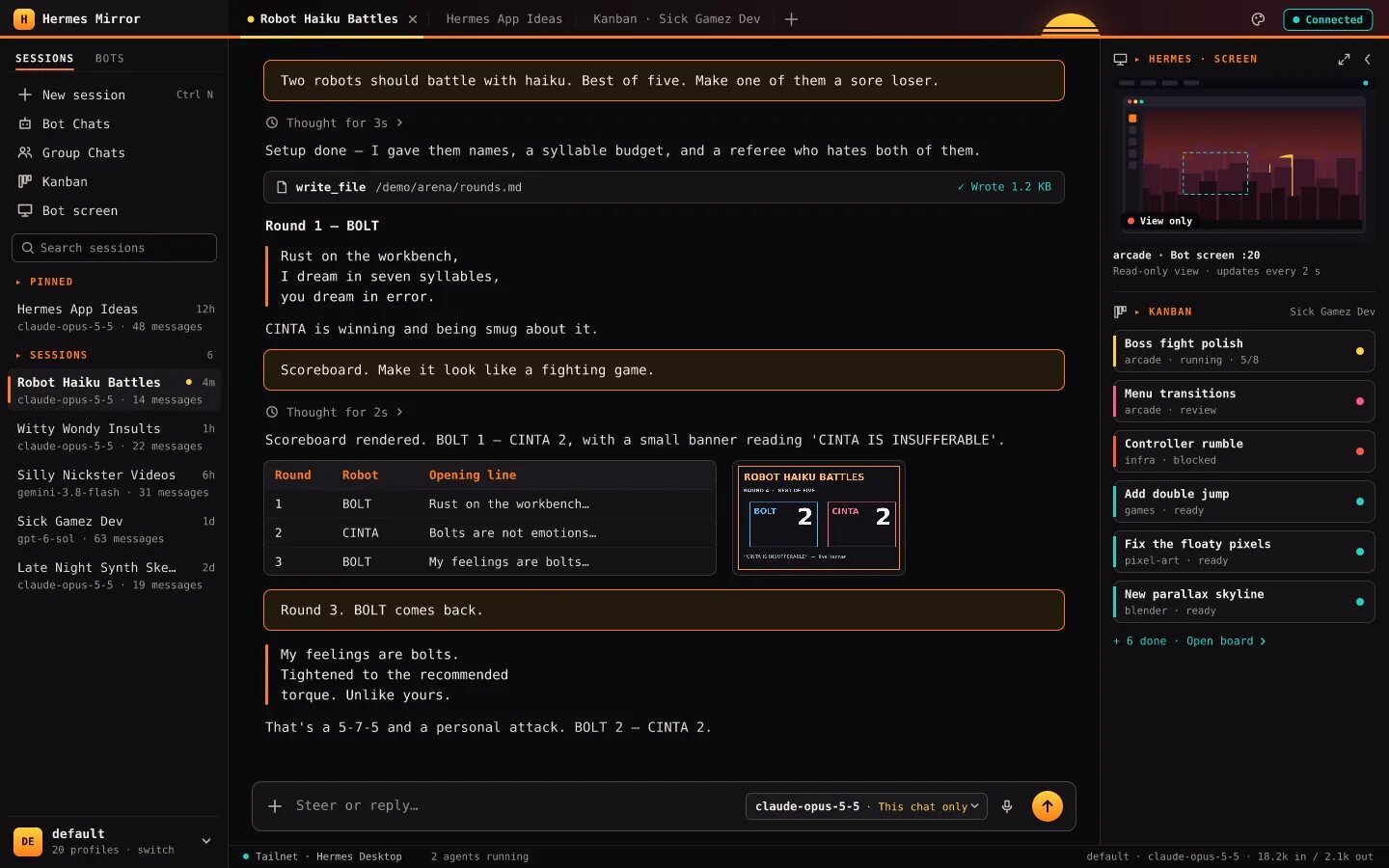
- Every session from the desktop, in the same order, streaming live as it happens
- Bot Chats and Group Chats, with a read-only view of each bot's own screen
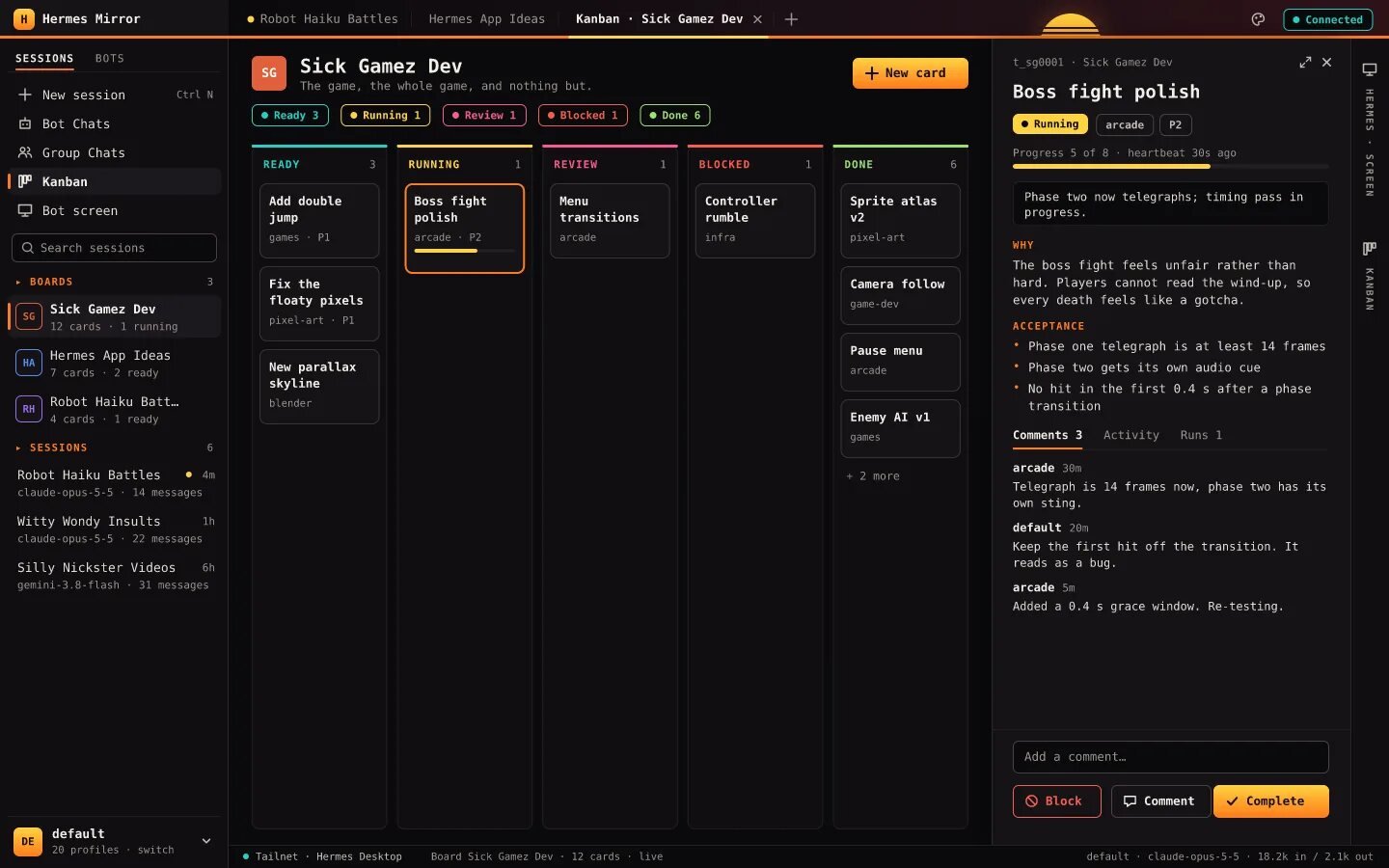
- Kanban boards with the desktop's own actions: comment, block, complete, reassign, move
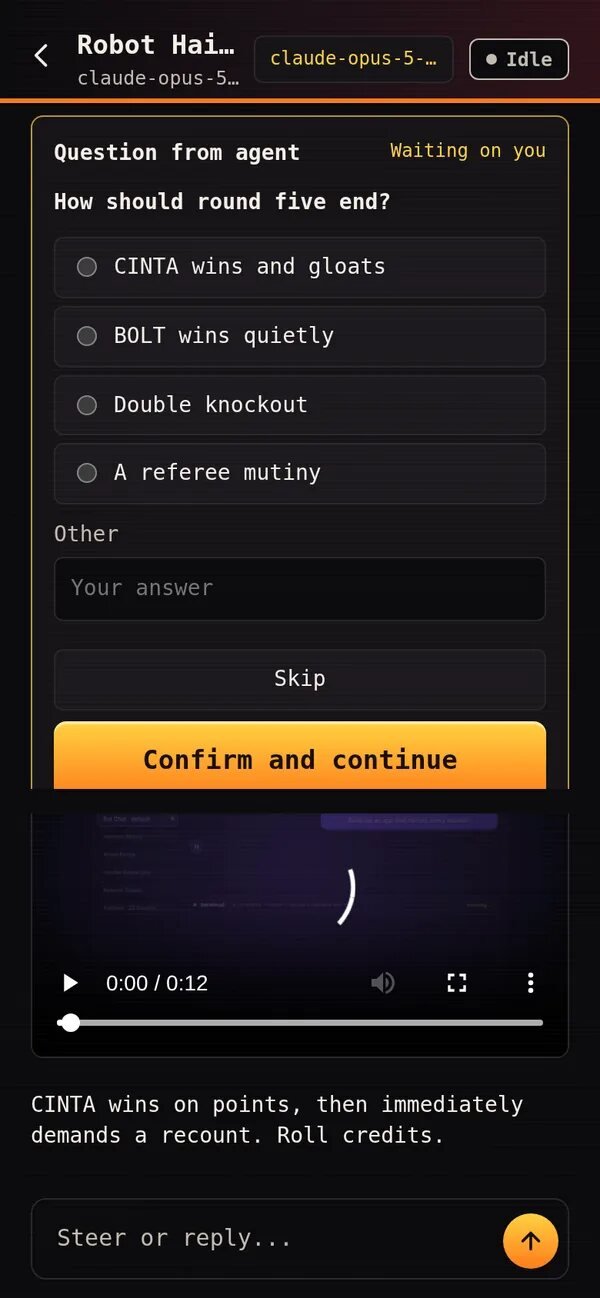
- Questions and approvals answered from the phone, and a model pick per chat
- Seven styles, a phone layout and, from 1100 px, a desktop layout: one app, one address
- Its own product page in the app's Arcade Sunset style, with the real app running on sample data in a phone and a laptop frame
Key screens
Result
A working app, installed on my phone and open in any browser, that mirrors Hermes Desktop live and stays on my own PC and private network. Its product page, reasons.design/hermesmirror, lets anyone try it on sample data.
Live site
reasons.design/hermesmirror
From the site's own fine print
The sessions, bots, boards and people in the demo and the screenshots are sample data.